
You must be registered with ECO first to use this service. Please give us an independent email address to register with them.
- Login to ECO
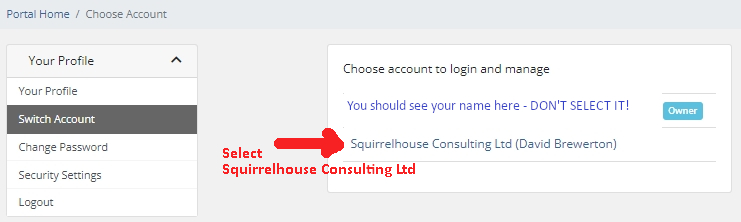
- You will be asked which account you want to use : you must pick Squirrelhouse Consulting and not your own! This is because your services are part of Squirrelhouse’s account rather than the one you created.

- See the Portal as below
 Click [open new ticket] to raise a request.
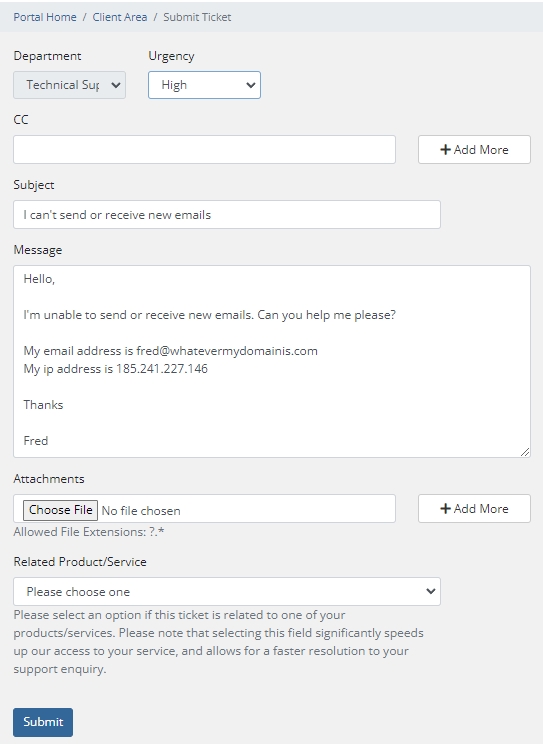
- Complete your request/question
- Priority – I usually pick “High”
- Subject – just say what isn’t working or what you need help with
- Details – your request
- They need you to be specific about your domain so provide the email address or website that isn’t working.
- It is often helpful to give them your ip address too
- You can attach screenshots if you need
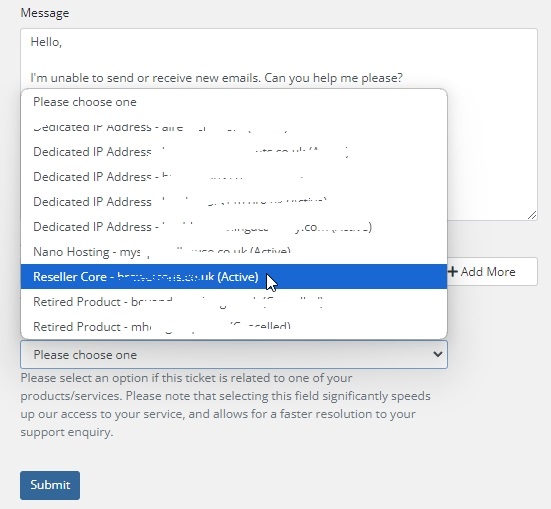
- Related Product/Service – you must pick our Reseller Core service in the dropdown boxexample below:-
You must pick our Reseller Core service in the dropdown box
What next?
You should get a confirmation email for your request however do check your spam folder if you don’t receive one within 10 minutes. When the support team reply, you should get a further email notification. If you don’t receive these emails you can always check in the Portal to see if your request has been answered
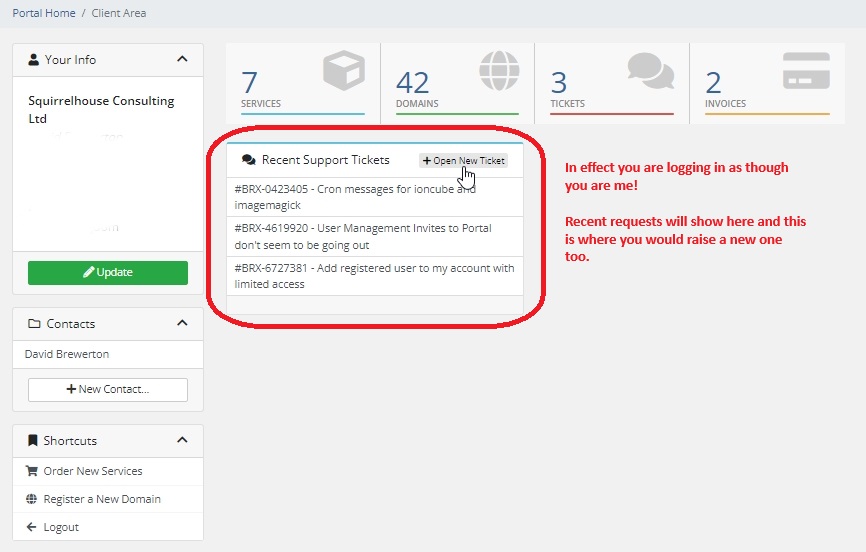
To view the response from the Server Team just click on the appropriate request under Recent Support Tickets.
You will see their response and an area above it where you can type your reply.