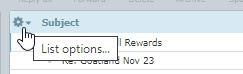
In Roundcube you might find you want the view to have different columns in it, such as flags, from or to etc, or to be in a different default sort order. You do this by clicking on the cogwheel to the far left of the column headings.
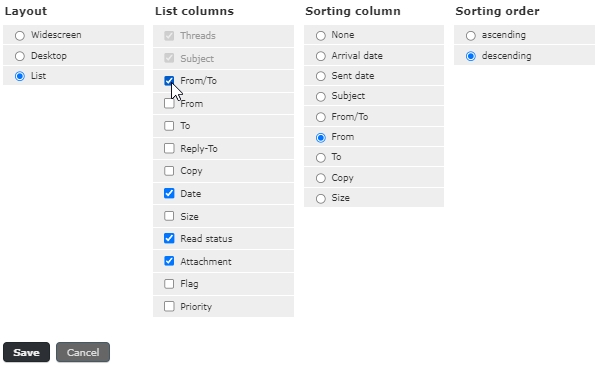
This then shows you all the options which you can click on and set up your folder view how you prefer.
Please note:-
- when you change which list columns you wish to see you must click on all of them otherwise you are replacing the default with just the one you’ve selected.
- The From/To column is a ‘magic’ column and will show From for the inbox and To for the sent folder.
- Remember to click [Save] when you have finished.