

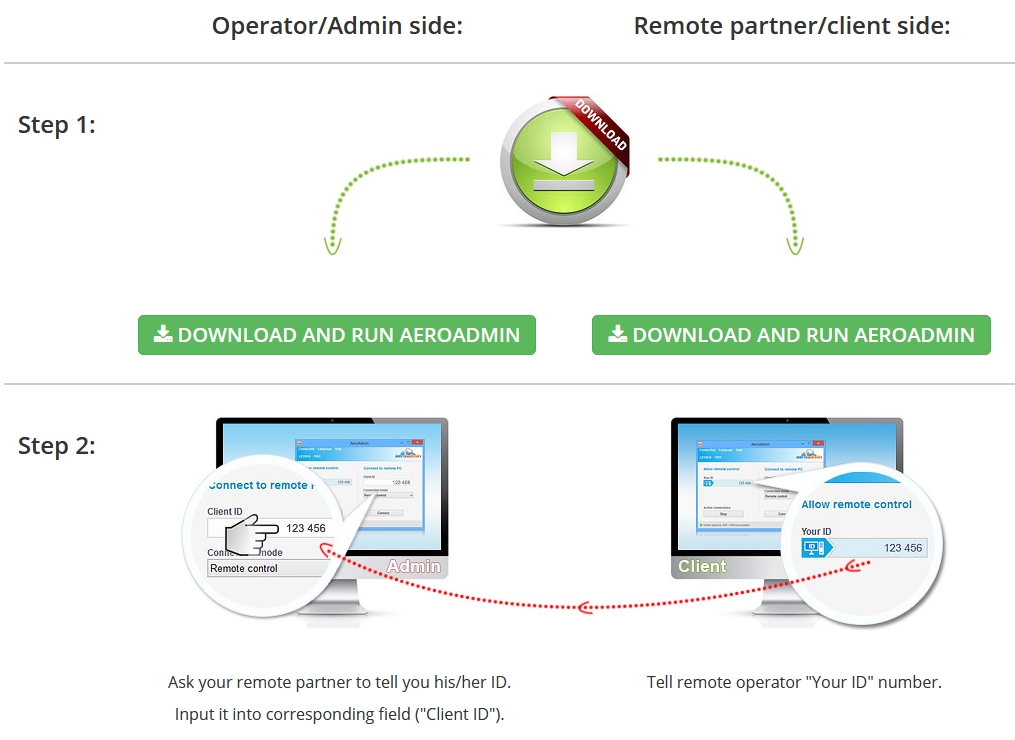
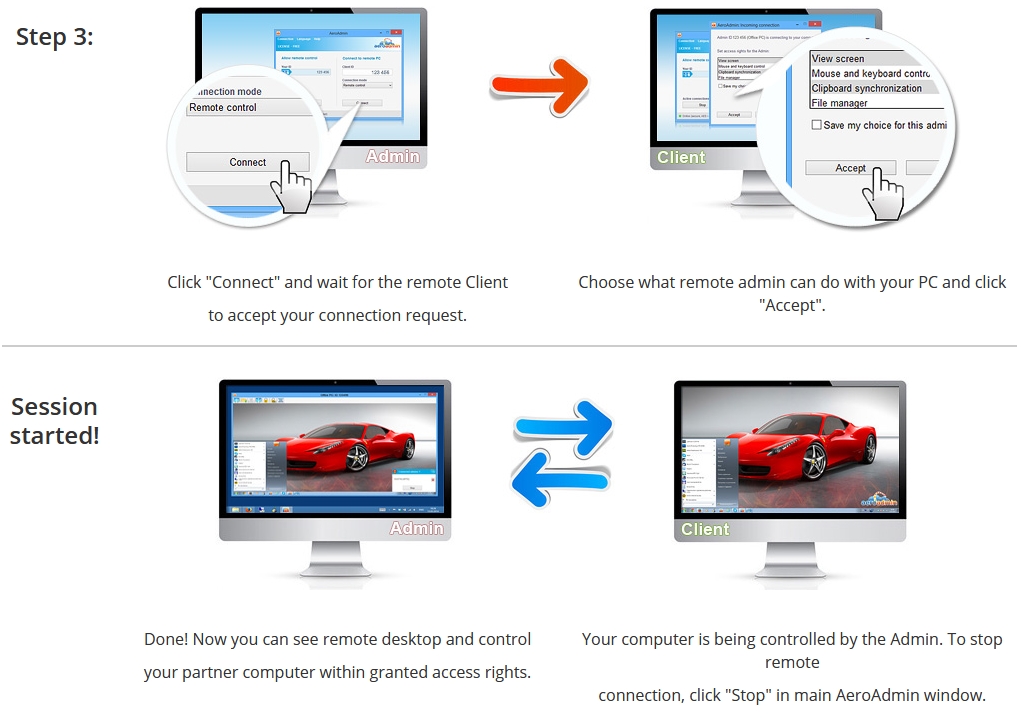
Might need to allow the App in Windows firewall…
Start button: type Windows Firewall in the Search box.
In Windows Firewall: click Allow a program or feature through Windows Firewall.
Look for Aero and Click the Change settings button. If a User Account Control window appears, click Yes, or enter your user name and password, then click OK.
Note that it uses ports 5950,5951
Once started, consider:-
- starting as a service
- allowing a specific ID
Warning: TalkTalk screen this and TeamViewer so best to change ISP if you’re on TallKack!